Small Etsy shop, big daily friction
I run a small Etsy shop alongside my own standalone website. On paper, my daily workload sounds light—some days I only photograph 3 or 4 new products, like handmade leather crafts or artisan goods. But each item still requires 5 distinct shots: a hero cover photo, a close-up texture detail, a side profile, an in-hand scale shot, and a packaging photo. Four products quickly add up to 20 photos that need post-processing.
The friction comes from managing different image presentation styles. My standalone website relies on clean 1:1 square photos for section grids. At the same time, observing active Etsy shops, I noticed a distinct trend: more and more sellers are adopting taller 3:4 or 2:3 main product photos because vertical compositions stand out and fill more screen space on mobile feeds. Seeing this shift, I decided to produce both formats for my own items—1:1 square versions for my website and 3:4 vertical versions for Etsy feeds. But preparing every single shot in multiple aspect ratios made traditional photo editing painfully slow.
Why conventional batch tools failed me
Before building SizeFold, I tried using standard batch image converters. Their workflow was frustratingly tedious: box-select original files, apply a square preset, export to a folder, re-select the same original files, apply a 3:4 vertical preset, export to another folder, and then manually sort the files into desktop folders. When managing several SKUs, I quickly lost track of which images were processed and which were still pending.
Why I built SizeFold: Designed for fixed product shoots
Product photography has one massive advantage: within a shooting session, your studio lighting, camera angle, backdrop, and setup remain consistent. That means your color adjustments—white balance, exposure, contrast, shadows—and cropping rules apply identically across all photos in that shoot.
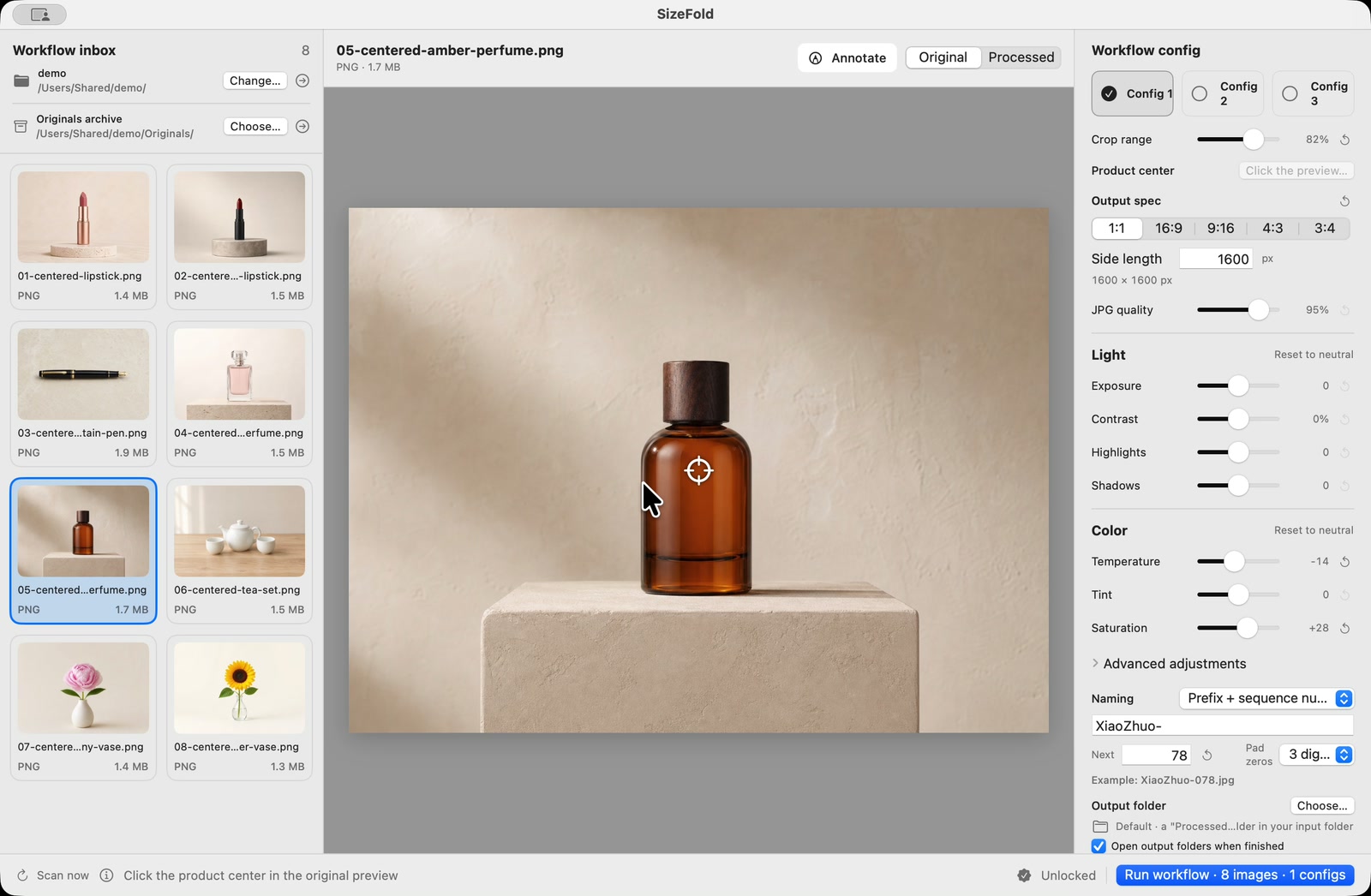
I built SizeFold to turn that consistency into a fast, automated workflow:
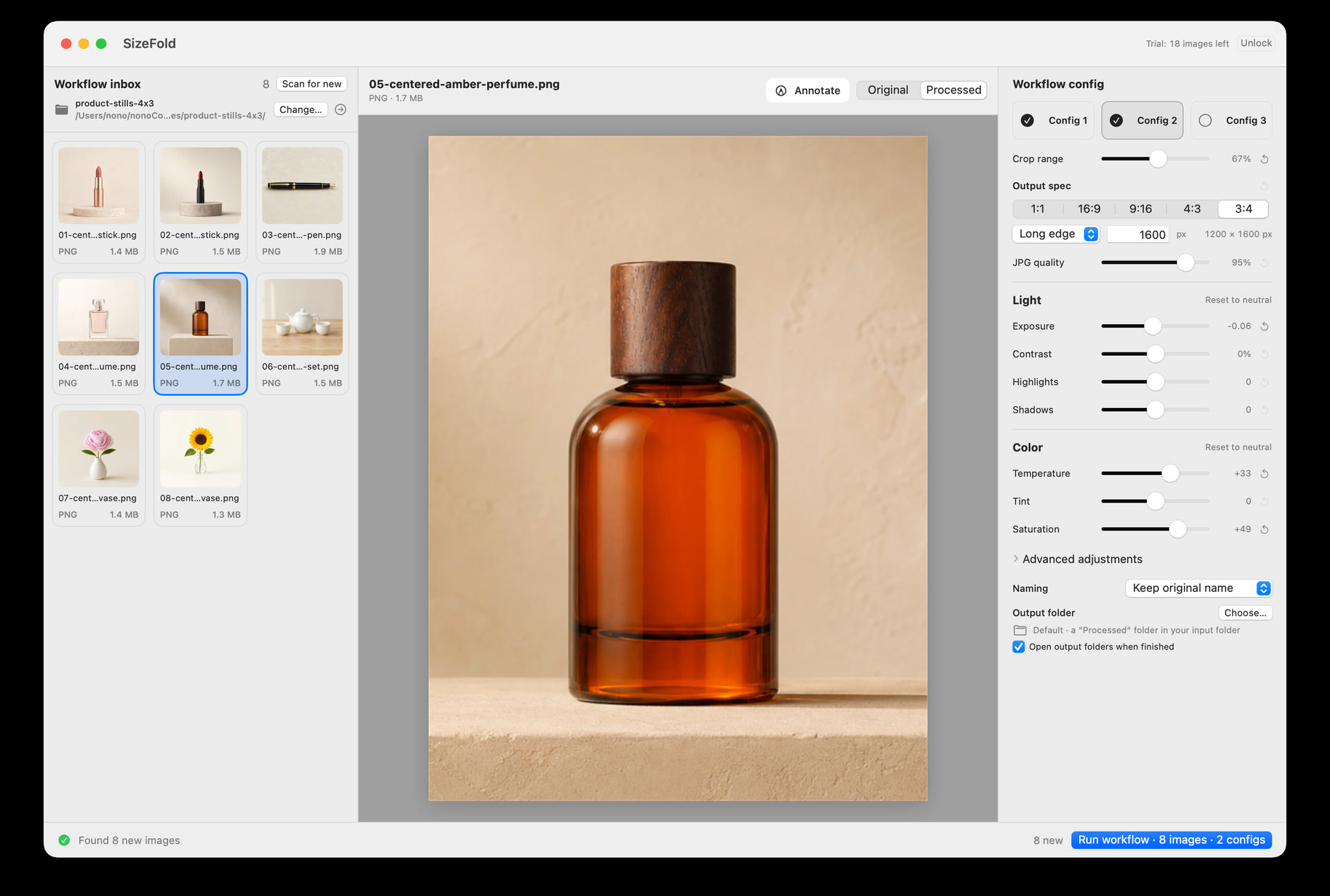
- Single-Pass Multi-Ratio Exports: Config 1 handles 1:1 square exports (saving to
Website/), while Config 2 handles 3:4 vertical exports (saving toEtsy/). One click renders both directly from camera originals. - SKU Naming & Folder Archiving: Type the product Model or SKU ID once (e.g.
ETSY-001). SizeFold renames deliverables asETSY-001-01.jpgand places them directly into SKU subfolders. - Easy Scene Adaptability: When changing camera angles or lighting for a new batch, simply tweak your configuration parameters once in SizeFold. Those new settings instantly apply to all subsequent products in that session.
The clean inspection & clear-folder routine
Now, processing a product batch takes a quick inspection pass:
- Incoming camera shots land directly in the designated
Inputfolder. - Quickly arrow through thumbnails in SizeFold. Press
Command + Dto move any blurry or bad shots into the recoverableTo Deletefolder. - Do a 5-second sanity check on crop framing and color presets.
- Type the product SKU ID and click Run.
SizeFold generates both square and vertical assets, organizes files by SKU, and auto-archives original camera files to Originals. The Input folder resets to empty, giving me instant visual proof that the item is delivered.
Built by a seller, for sellers
SizeFold wasn't built as a bloated image editor; it was created to solve my own daily listing friction. The true value isn't just saving a few seconds on a timer—it's that once your output rules, SKU formats, and target paths are saved, shooting your next item requires zero re-configuration, zero manual folder sorting, and zero mental friction.