Use a complete folder
Choose one input folder. Its top-level JPG, PNG, HEIC, and TIFF files form the current batch.
For repeat product shoots
Put a product shoot in the same Input folder, click Run, and create every output version you already decided to use. The next shoot uses those saved crops, sizes, color adjustments, naming format, and destination folders again.
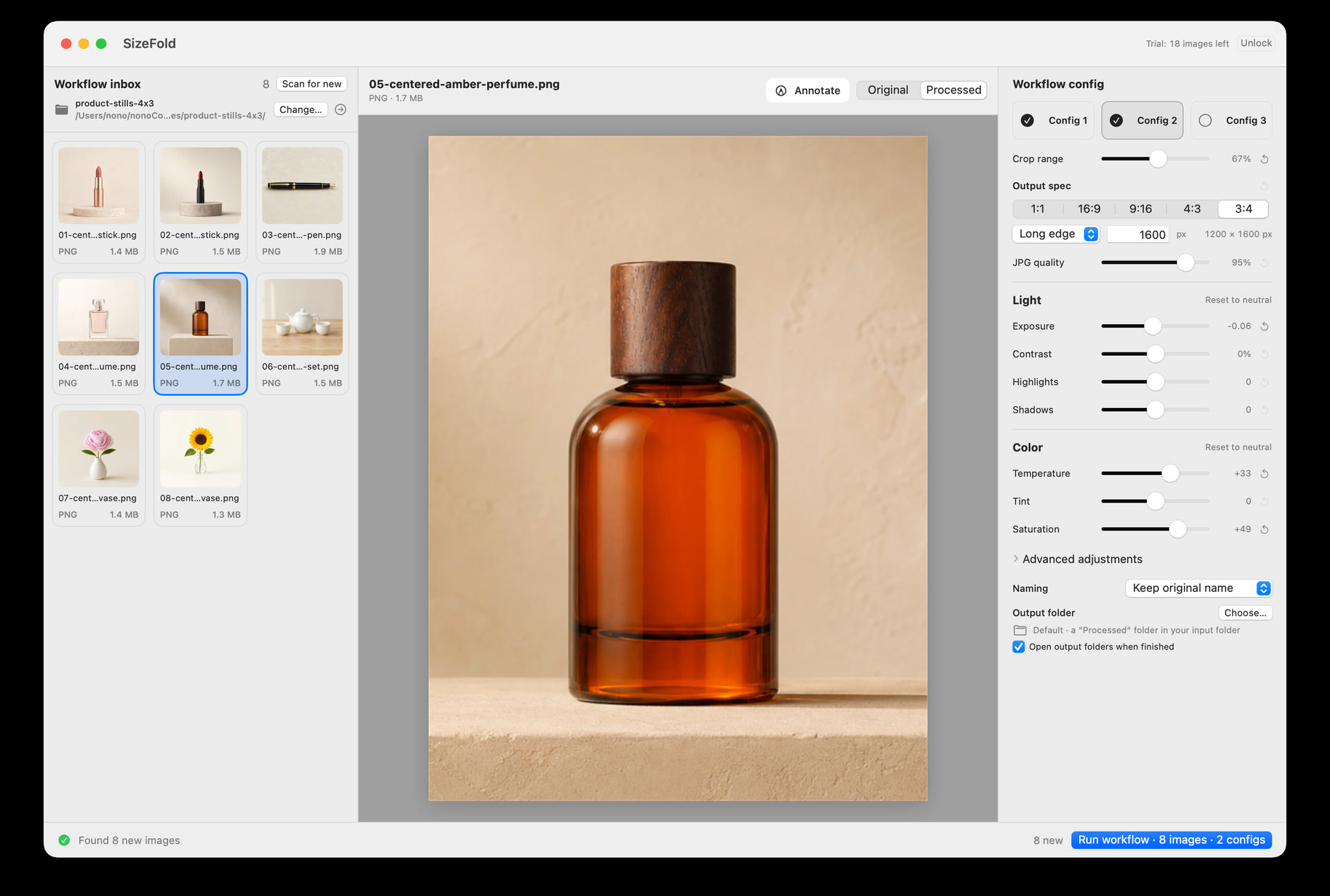
Input and review
Card imports, tethered captures, and phone transfers already end in a folder. Use it as Input, review the current product photos, and avoid selecting the same files again for every version.
Choose one input folder. Its top-level JPG, PNG, HEIC, and TIFF files form the current batch.
Check thumbnails, file details, and a large preview. Arrow keys move through the batch without leaving the preview.
Press and hold the preview to see the untouched source. Release it to return to the current crop and color result.
Crop and image treatment
A prepared batch normally shares camera, lighting, and product placement. That consistency allows one crop and color config to work across the batch. When the setup changes, adjust the config once; later batches use the new saved values.
Create 1:1, 16:9, 9:16, 4:3, or 3:4 outputs using the image center in the current release.
Adjust exposure, contrast, highlights, shadows, temperature, tint, saturation, sharpening, and RGB channel compensation.
Set the long edge, short edge, width, or height and choose JPEG quality independently for every config.
Delivery
For example, one shoot can need a square store image, a taller website image, and a different social crop. Save each version's proportions, dimensions, treatment, filename format, and destination once.
Each config stores its own crop, dimensions, color settings, JPEG quality, filename rule, and output folder. Enable only the ones the job needs.
Keep source filenames or add a config-specific prefix with continuous numbering across batches.
Send each saved version straight to its own destination folder in the same run.
Originals and failures
SizeFold does not treat a source as finished until every enabled config has produced its file.
An original moves to the Originals archive only after all enabled configs finish for that source.
If a required output fails, incomplete products from that attempt are removed and the original remains in the input folder for retry.
Apple frameworks handle crop, color, resize, and JPEG generation on the Mac. SizeFold has no account or cloud photo service.
Mark up a preview with text, arrows, shapes, or drawing, then copy or export it for review. The marks are not written into the original or batch output.
After the first batch
Put new product photos in the same Input folder and click Run. You can add a model name when you want it in filenames or folders; otherwise, your saved naming format continues unchanged.
Choose one crop center for the session when a batch is slightly off-center. The same point is used to calculate every enabled crop ratio. The processed batch can also be rotated in 90° steps without changing the original preview.
While SizeFold is open, changes in the input folder refresh the pending list. Completed originals can use the default Originals archive or another folder.
Image dimensions and available EXIF details appear with the preview. A soft, poorly framed, or unwanted photo can be moved to the recoverable To Delete folder without permanently erasing it.
Product shoots often finish one model before moving to the next. Enter the current model once and an output config using Model + number can create MODEL-A-001.jpg, MODEL-A-002.jpg, and so on. Each output config checks its own output folder and continues from the next available number instead of replacing an existing file.
When a delivery does not require resizing, Crop only exports the retained crop at its original pixel dimensions. The JPEG is newly encoded; the source file remains unchanged.
Config names can be edited in place, and the crop, output, naming, and adjustment controls take fewer steps to change during a working session.
Right-click a target config to copy crop and image settings from another config while keeping the target's name, naming rule, destination, and enabled state.
Enter ratios such as 5:4, 3:2, or 1.91:1 alongside the five built-in choices.
Combine original filename, model, config name, processing date, output size, and optional # numbering. Existing files are not replaced.
Each config can place its results under Model/Config inside the output root, keeping every product together while preserving the config names.
Keep the latest batch one click away, or select another successful batch from Recent batches. A changed or conflicting file stops that batch before anything is modified; a successful undo removes its record.
JPEG outputs embed sRGB. One workflow-wide setting preserves EXIF, author, and copyright data across every config; GPS location is always removed.