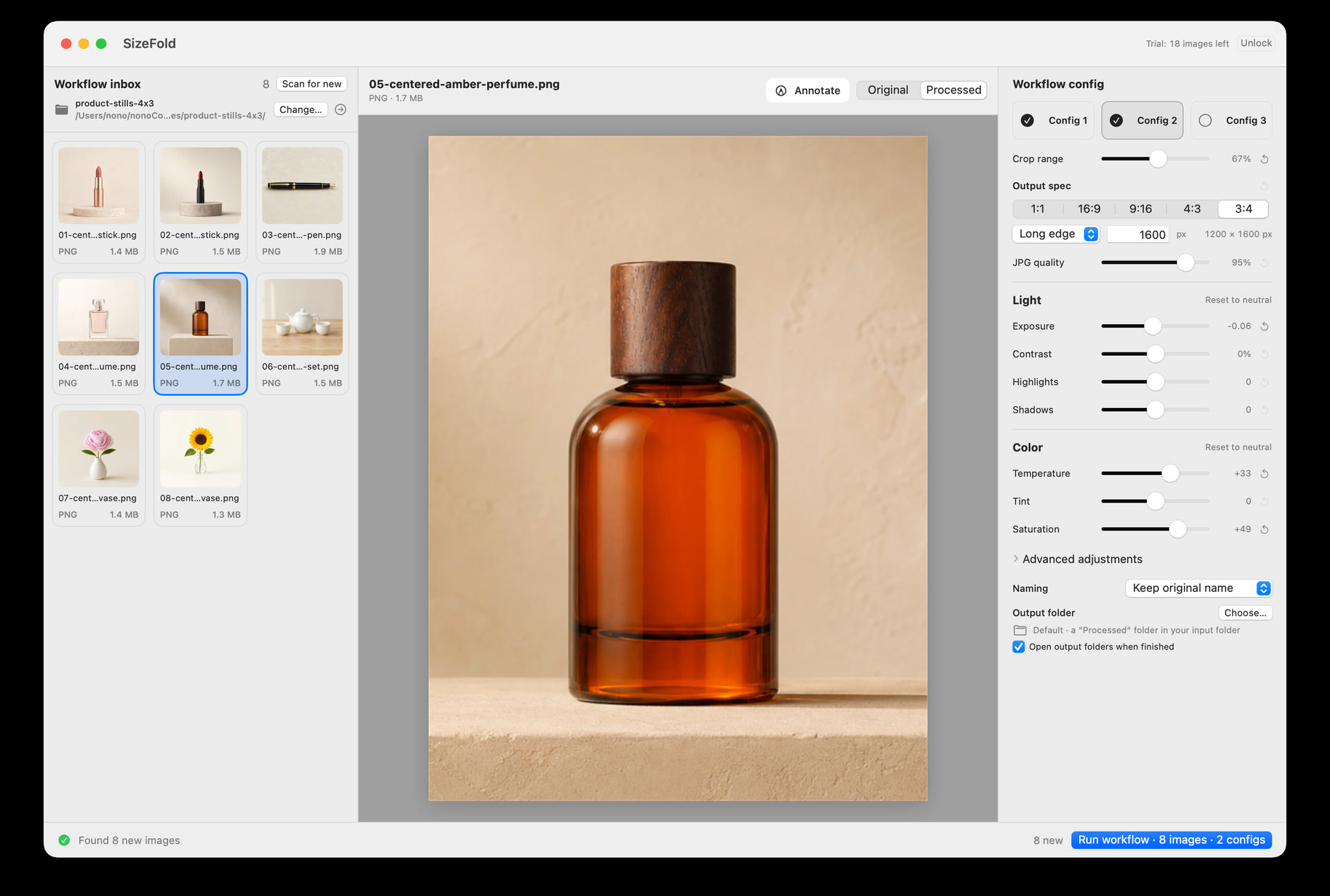
Built for fixed-setup product photography
SizeFold is designed around a fundamental reality of product photography: most commercial shoots use a fixed setup. You shoot with consistent studio lighting, a fixed tripod or camera rig, a uniform backdrop, and subjects placed roughly in the center of the frame. Unlike landscape or portrait photography where composition changes frame by frame, product photos in a batch share identical lighting, color, and cropping requirements.
Because the setup is consistent, you shouldn't have to select and edit photos one by one. You set your crop ratios and output rules once, and the entire batch follows the same standardized workflow.
The 30-second inspection routine
Experienced sellers and studio photographers already have a reliable shooting process, and most captured frames turn out great. The real goal during post-processing isn't heavy editing—it's **rapid inspection, clearing out flawed shots, and verifying framing before export**.
When new photos land in your Input folder, SizeFold lets you complete this inspection in seconds:
- Cull Flawed Shots (`Command + D`): Arrow through your batch in thumbnail view. If a shot is out of focus, has bad exposure, or has visible glare, press
Command + Dto instantly move it out ofInputinto the recoverableTo Deletefolder. - Instant Original Verification (Press & Hold): Because products vary in shape—some tall, some wide—a fixed 1:1 or 3:4 crop frame might cut close to an edge. Simply press and hold the mouse on any preview to instantly view the full, untouched original camera frame, then release to return to the crop view.
- Quick Center Shift: If a product is slightly off-center in the camera shot, click
Choose...next to Crop Center and pick the true center of the object. SizeFold automatically centers all crops in the batch around that point.
One pass, dual ratios, under 30 seconds
Once your quick inspection is done, you don't need separate export runs for search thumbnail squares and mobile feed verticals. Config 1 handles your 1:1 square exports (destined for Square/), while Config 2 handles your 3:4 vertical exports (destined for Portrait/).
Click Run. Whether your batch has 10, 20, or 30 photos, SizeFold renders both 1:1 and 3:4 deliverables directly from camera originals, organizes outputs into their respective folders, and archives source files to Originals—completing the entire batch in less than 30 seconds.
The next batch: Zero re-work
When you place the next product on your shooting table, its photos land in the clean Input folder. Do a quick 10-second inspection pass, verify your crop framing, and click Run. Because your studio setup, aspect ratios, target folders, and naming rules are saved, processing every subsequent batch becomes a sub-30-second routine.
Standardized, stress-free delivery
By tailoring the workflow to fixed-setup product photography, SizeFold turns post-processing into a fast, high-confidence inspection pass. Spend 15 seconds reviewing your batch, click Run, and deliver complete square and portrait assets in under half a minute.